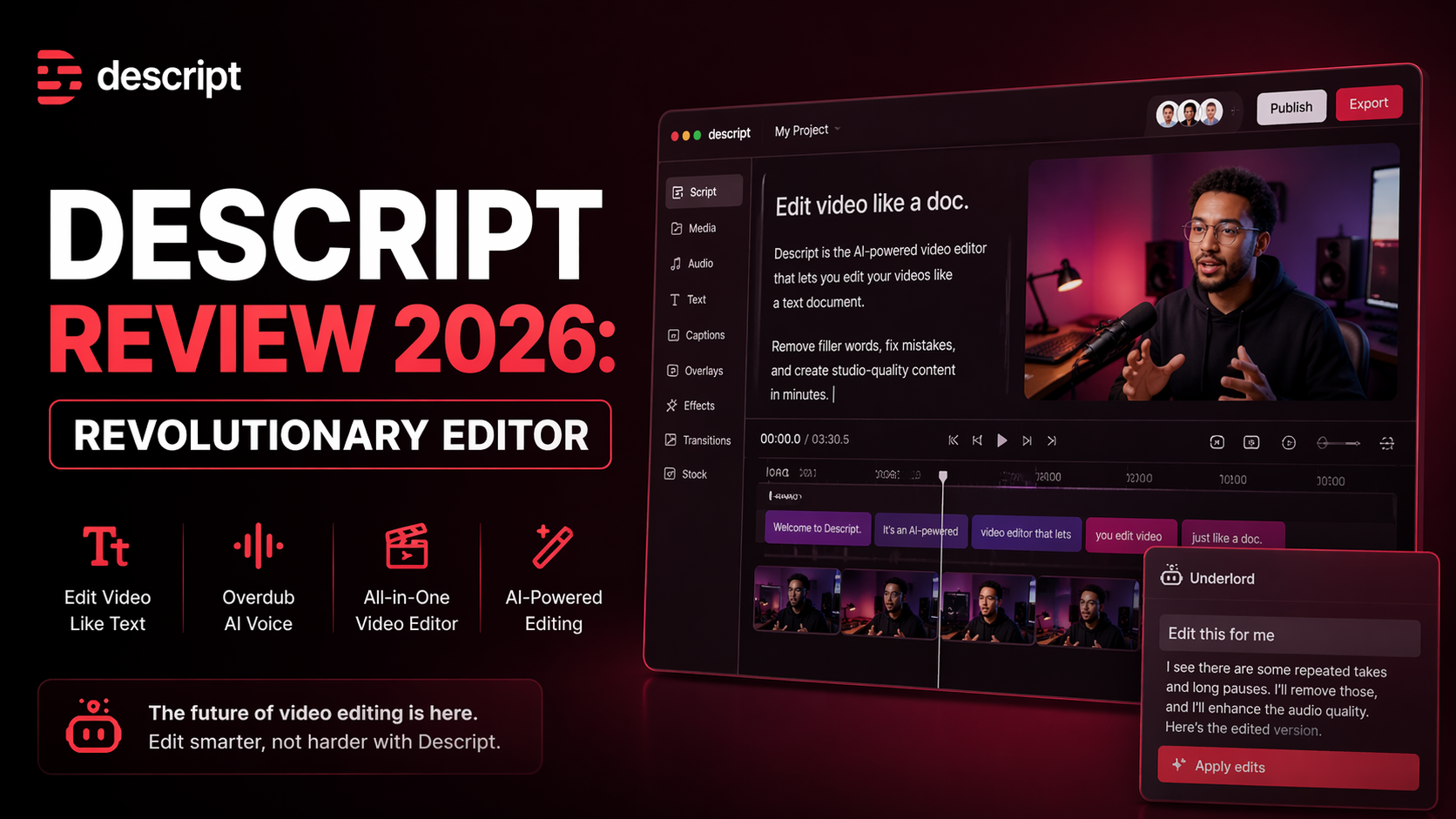
Descript Review 2026: Revolutionary editor
If you create podcasts, YouTube videos, tutorials, interviews, or social clips, editing usually takes too long. Traditional editors can feel slow, technical, and frustrating. That is exactly why Descript became one of the most useful creator tools I tested this year.
It changed the editing process by doing something simple but powerful: it lets you edit audio and video by editing text.
Instead of dragging timelines for hours, cutting waveforms, or zooming into tiny clips, Optizeno tells you to open the transcript, delete words, move paragraphs, and your media updates instantly. After testing it on spoken videos, voiceovers, and podcast clips, I can say this workflow still feels revolutionary in 2026.
For many creators, Descript saves serious time.
What Descript Actually Does
Descript is an AI-powered audio and video editor built for modern creators. It combines transcription, screen recording, podcast editing, video editing, voice tools, captions, and AI cleanup in one platform.
Its core idea is simple:
Upload your recording.
Get an automatic transcript.
Edit the transcript like a document.
Your audio or video edits follow automatically.
That means if you delete one sentence from the transcript, the sentence disappears from the final video too.
It sounds small, but in real use, it changes everything.
My Real Experience Using Descript
I tested Descript on three types of content:
- Talking-head video
- Podcast interview
- Screen tutorial
The first thing I noticed was speed. I was able to remove mistakes, filler words, pauses, and repeated lines much faster than using timeline-heavy editors.
Instead of searching waveforms, I simply read the transcript and removed what I did not need.
That alone can save hours each week.
Features That Stand Out in 2026
1. Transcript-Based Editing
This is still Descript’s biggest advantage. If you can edit a document, you can edit a video.
Great for beginners and creators who hate traditional editing software.
2. AI Filler Word Removal
With one click, it can remove “um,” “uh,” repeated words, and awkward pauses. Results were solid during testing, especially for podcasts and solo speaking videos.
3. Studio Sound
This feature can improve voice clarity and reduce room noise. I tested rough microphone audio, and the difference was noticeable.
For creators without studio gear, this can be valuable.
4. Automatic Captions
Captions are fast to generate and easy to style. Useful for YouTube Shorts, Reels, TikTok, and social clips.
5. Screen Recording + Editing
You can record tutorials, demos, or presentations directly, then edit the transcript after recording.
Very useful for educators, SaaS founders, and remote teams.
6. AI Voice Tools
It offers voice cloning and text-to-speech style editing for approved use cases. Helpful when replacing a sentence without re-recording.
Where Descript Helps Most
Descript is ideal for:
- YouTubers
- Podcasters
- Course creators
- Coaches
- Marketing teams
- Social media editors
- Startup founders creating demos
- Agencies managing client content
What I Liked Most
The best part was removing friction.
Traditional editors often require technical skill before creativity starts. Descript removes much of that barrier.
I could focus on message, pacing, and content quality instead of tiny timeline cuts.
That makes it powerful for solo creators trying to publish consistently.
What Needs Improvement
It is excellent, but not perfect.
Timeline Editors Still Win for Complex Visual Work
If you need cinematic editing, motion graphics, deep color grading, or advanced transitions, tools like Premiere Pro or DaVinci Resolve remain stronger.
AI Transcripts Need Review
Transcription is strong, but names, accents, technical terms, or noisy audio may need corrections.
Performance Depends on Project Size
Large projects with many assets can feel heavier on slower systems.
Subscription Costs Add Up
For creators on a tight budget, premium plans may feel expensive if used casually.
Pricing (Updated April 2026)
Based on latest public pricing from Descript:
- Free Plan – Limited usage and exports
- Hobbyist – Around $16/month billed annually
- Creator – Around $24/month billed annually
- Business – Around $50/month billed annually
- Enterprise – Custom pricing
Pricing may vary by region and billing cycle.
For regular creators, Creator plan usually gives the best balance.
Descript vs Traditional Editors
If your content depends heavily on spoken words, Descript can be faster than many classic editors.
If your work depends heavily on cinematic visuals, timeline tools may still be better.
Many creators now use both:
- Descript for rough cuts, captions, transcript editing
- Premiere or Final Cut for final polish
That combination makes sense.
Final Verdict
After testing Descript, I understand why so many creators keep using it. It solves a real problem: editing takes too long.
By turning audio and video into editable text, Descript removes hours of repetitive work. It helps beginners start faster and helps professionals move quicker.
If your workflow includes podcasts, talking videos, tutorials, or interviews, Descript is absolutely worth trying.
Pros
- Revolutionary transcript-based editing
- Excellent for podcasts and spoken videos
- Fast caption generation
- Strong AI audio cleanup tools
- Easy for beginners to learn
Cons
- Less ideal for advanced cinematic editing
- AI transcription may need corrections
- Heavy projects can slow down systems
- Some features need internet connection