WorkClaw Review: Slack AI Staff Tested
WorkClaw creates AI workers called Claws for team communication platforms like Slack and Microsoft Teams.
Slack is a business chat app. Companies use it to create channels for marketing, support, sales, product, finance, and daily updates. Microsoft Teams works in a similar way. WorkClaw places its AI workers inside those team spaces, so people can talk to them during normal work.

The product is made for team tasks, not casual chatting.
A Claw can have a role, skills, routines, app access, and its own cloud computer. That setup makes WorkClaw different from a simple AI writing page. It is closer to a work assistant that can be shaped for a specific department.
For example, a support Claw can help prepare customer replies. A marketing Claw can help with campaign planning. A sales Claw can organize lead follow-ups. An operations Claw can turn messy team notes into a clean update. A research Claw can collect information and prepare a short report.
That is the part I focused on most.
WorkClaw makes the most sense when the task is repeated again and again. If a team has to summarize messages, prepare updates, draft replies, search information, or move details between tools, a Claw may save time. If the task is only a one-time question, the tool may feel heavier than needed.
The official site says WorkClaws can work with Slack, Teams, email, and more than 3,000 apps. It also mentions tools like Google, Notion, Salesforce, monday.com, Asana, Zoom, LinkedIn, Mailchimp, Canva, and Linear. That gives the product a strong workflow angle.
The real review point is simple: does it make team work smoother?
A tool like this should not only produce good sentences. It should reduce manual work. It should understand the role it was given. It should follow the team’s routine. It should connect with the right apps. It should also avoid doing risky actions without clear permission.
Pricing is also important here.
As of June 21, 2026, WorkClaw’s pricing page shows a Team plan at $29 per month. The plan includes 30,000 credits per month, unlimited users, unlimited Claws, Claude AI model access, pre-built skills, custom skills, 24/7 running Claws, and 100+ integrations including Slack, Gmail, and Notion.
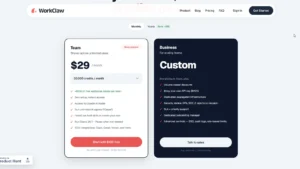
WorkClaw also offers $100 in free credits, a 14-day free trial, and no credit card requirement. That is good because the product needs hands-on testing. You cannot judge this type of tool only by reading the homepage.
There is also a Business plan with custom pricing. It includes volume-based discounts, bring your own API key, dedicated infrastructure, security review, DPA, SOC 2 reports on request, SLA, priority support, onboarding help, SSO, audit logs, and role-based limits.
The credit system needs careful checking.
WorkClaw uses credits for AI usage and for the cloud computer used by each Claw. The default Clawbook Mini costs $0.75 per Claw per day, or 750 credits per Claw per day. The Clawbook Pro costs $1.50 per Claw per day, and the Clawbook Max costs $2.50 per Claw per day. Extra 20,000 credits can be added for $20.
This means the $29 monthly plan is only one part of the cost story. If a team creates many Claws and keeps them active, credit usage can become a real thing to monitor.
Security is another strong area to check.
WorkClaw mentions admin controls, a custom credential vault, separate computers for each Claw, private file storage, and SOC 2 Type II compliance. These features matter because an AI worker may connect with business data, email, files, and team messages. A company should know what the AI can access before giving it important work.
The best way to review WorkClaw is through role testing.
First, create a support Claw. Give it a few customer complaint examples and ask for clean replies. Then create a marketing Claw and ask for a simple launch plan. After that, create an operations Claw and give it rough meeting notes. Check whether it creates useful output or just gives generic text.
The Slack or Teams test is also important. Add the Claw to a team channel, mention it naturally, and see how it responds. Does it understand the channel context? Can other team members use it easily? Does it feel smooth, or does it interrupt the workflow?
WorkClaw is best for startups, agencies, support teams, marketing teams, sales teams, and small companies already using Slack or Microsoft Teams. It may not be the best pick for students, solo bloggers, or people who only need a basic AI writer.
According to Optizeno, the idea is strong, the free credits help, and the team-focused setup is useful. But the final value depends on setup quality, credit usage, integrations, and how well each Claw performs in real work.
Pros
- Good for team tasks.
- Works with Slack and Microsoft Teams.
- Unlimited Claws on Team plan.
- $100 free credits.
- No credit card required.
- Useful role-based setup.
- Strong security controls.
Cons
- Credit usage can be confusing.