I Tried Kilo Code v7: Cursor Is In Trouble?
What Is Kilo Code v7?
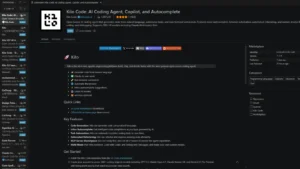
Released on April 2, 2026, Kilo Code v7 is a major rewrite of the open-source AI coding agent for VS Code.
This version is built on the OpenCode server. That means the same core now works across VS Code, CLI, and cloud agents.
In daily use, the biggest change is speed. Older AI coding tools often feel slow because they do one task at a time. Kilo Code v7 feels different.
It can read files, search a project, and run terminal commands in parallel. This helps when working on bigger codebases, bug fixes, or refactoring tasks.
Agent Manager Feels Like the Main Upgrade
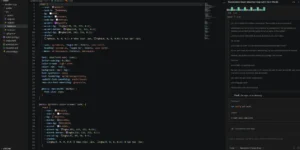
The best part of Kilo Code v7 is the Agent Manager.
Instead of running one AI coding session and waiting, you can open multiple agents at once. One agent can write code. Another can prepare tests. A third can review the changes.
This makes the workflow feel more like managing a small AI development team inside VS Code.
Each agent can also work in its own git worktree. So, one agent can build a new API endpoint while another improves the auth system. They do not overwrite each other’s work.
For developers who handle larger projects, this is a serious upgrade.
Multi-Model Testing Is Very Useful
Kilo Code v7 also supports multi-model comparison.
That means you can give the same task to different AI models and compare the results. For example, you can test one prompt with Claude, GPT, Gemini, or an open-source model.
This is useful because no single model is always best. One model may write cleaner code. Another may explain better. Another may handle debugging more carefully.
Instead of guessing, Kilo lets you compare the output inside the same workflow.
Kilo supports hundreds of models, and this flexibility is one of its strongest points.
Code Review Is Better Than Before
Another useful feature is inline code review.
When an agent makes changes, Kilo shows the diff. You can check what changed before accepting it. You can also leave comments on specific lines.
This makes the tool feel safer.
AI coding agents can move fast, but speed is useless if you cannot trust the result. Kilo Code v7 gives more control, so you can review the work before it becomes part of your project.
During testing, this was one of the most important features. It made the experience feel less risky.
Kilo Code v7 Pricing and Cost
Kilo Code itself is free and open source.
You can install the VS Code extension without paying. The tool also supports bring-your-own-key usage, so you can connect your own AI provider keys.
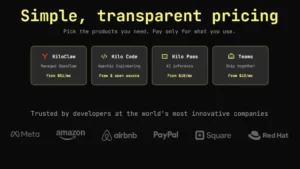
However, AI model usage is separate. If you use Kilo’s gateway, you pay for the model usage. Kilo Pass starts at $19 per month, based on the pricing shown in May 2026.
KiloClaw, the managed hosting product, starts from around $51 per month when billed for six months.
So, the simple answer is this: Kilo Code v7 is free to use, but AI usage may cost money depending on the model and setup.
Kilo Code v7 Real-World Experience
In real use, Kilo Code v7 feels powerful but not perfect.
The parallel agent workflow is excellent for serious coding work. It saves time when the project has multiple moving parts.
The open-source nature is also a big advantage. Developers can inspect the project, contribute to it, or build around it.
But there are some weak points.
Code indexing from the older version is temporarily unavailable. Some settings have also moved, so old users may need time to adjust. Running many agents at once can also feel heavy on weaker computers.
Still, the overall direction is strong.
Kilo Code v7 is not just another AI autocomplete tool. It is closer to a full AI coding workspace inside VS Code.
Optizeno Final Verdict
Kilo Code v7 is one of the most interesting AI coding agents available right now.
It is best for developers who want more than simple code suggestions. The Agent Manager, parallel tasks, model comparison, and inline review make it feel advanced.
Beginners may need some time to understand the new workflow. But for developers who already use VS Code daily, this tool can become very useful.
Kilo Code v7 is fast, flexible, and open source. It is not flawless, but it is clearly moving in the right direction.
For serious AI-assisted coding, it deserves attention.
Pros
- Completely rebuilt on a portable core for faster execution.
- Parallel tool calls and sub‑agent delegation allow simultaneous tasks.
- Agent Manager lets you run and monitor multiple agents side by side.
- Inline code review and diffs improve human oversight.
- Works with 500+ AI models; bring your own keys or pay as you go.
Cons
- Code indexing is temporarily unavailable in v7.
- Requires learning new UI and permission settings.
- Running many agents can tax older hardware.
- Paid inference models may increase costs if not monitored.
- Early releases had rough edges; continuous updates are still fixing issues.