
Perplexity Comet Android: Future Chrome Killer?
Perplexity Comet for Android feels like a browser made for the AI era. It is not just a normal search app with a chatbot attached. It is a full mobile browser where the AI assistant stays close to your browsing, reading, searching, and research flow.
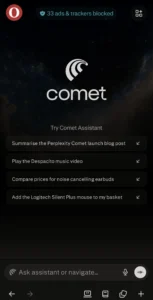
The idea is simple. You open websites like a normal browser, but instead of copying links into another AI tool, you can ask Comet to help inside the browsing experience. It can explain pages, summarize content, answer questions, and help you understand what you are reading faster.
That makes Comet more interesting than many random AI apps. Most AI tools still feel separate from real work. You ask something, get an answer, then move to another app. Comet tries to remove that gap. It brings the AI directly into the browser, where most online work already happens.
On Android, this makes a lot of sense. Phone browsing often feels crowded. Tabs pile up quickly. Long articles are hard to read. Searching across multiple pages takes time. Comet tries to make that smoother by letting the assistant work with the page and browsing context.
The biggest benefit is page understanding. When you open an article, product page, document, or search result, you can ask Comet to explain it in simple words. This is useful for students, researchers, bloggers, shoppers, and anyone who reads a lot online.
The tab-based experience is also useful. Instead of treating every page like a separate thing, Comet can help you work across browsing sessions. For example, you can compare information from multiple pages, summarize research, or understand different sources without jumping between apps.
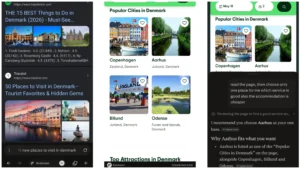
Voice support also makes the Android experience better. Typing long prompts on a phone is not always comfortable. With voice, Comet feels more natural. You can ask questions while browsing, which makes the app feel closer to a real assistant than a basic search engine.
Another good part is the built-in ad blocker. This matters more than it sounds. AI browsing is not only about smart answers. It is also about reading comfort. A cleaner page makes research easier, especially on a smaller phone screen.
In real use, Comet feels best for research-heavy tasks. If you are writing an article, checking product details, comparing tools, reading news, or learning something new, it can save time. It is less about replacing every browser feature and more about making web reading faster.
But it is not perfect. Chrome still feels more familiar and stable for everyday browsing. Most Android users are already used to Chrome, bookmarks, saved passwords, and Google account syncing. So Comet has to prove itself before becoming someone’s main browser.
Privacy is another thing users should take seriously. Since Comet is an AI browser, it may deal with browsing activity, pages, accounts, and connected services. Before using it deeply, users should check the privacy settings, ad blocker settings, and account permissions.
Pricing is reasonable for testing. As of May 18, 2026, Comet can be tested on Android without paying for the basic browser experience. Perplexity Pro is available as a paid upgrade at around $20/month or $200/year. Business and enterprise plans cost more, depending on the plan.
For a normal user, the free version is enough to understand the main value. You can install the app, browse websites, test summaries, ask questions, and see if the AI browser experience actually helps. Paid plans are more useful for heavy users who already depend on Perplexity for research.
The best thing about Comet is that it feels practical. It is not trying to impress users with one flashy demo. It solves a real problem: browsing is messy, and research takes time. Comet makes that process feel more direct.
Still, it is not a complete Chrome replacement yet. Some users will use it as a research browser instead of a daily browser. That may actually be the best way to start. Use Chrome for normal browsing and Comet when you need AI help.
According to Optizeno, Perplexity Comet for Android is one of the most useful AI tools to test right now. It is fresh, easy to understand, and actually connected to daily internet use. For students, writers, researchers, and Android users who read a lot online, it is worth trying.
It may not kill Chrome today. But it clearly shows where mobile browsing is going next.
Pros
- Free to test on Android.
- AI assistant inside the browser.
- Good for research and reading.
- Can summarize web pages.
- Voice support is useful on mobile.
- Built-in ad blocker improves comfort.
Cons
- Not ready to fully replace Chrome.
- Privacy settings need attention.
- Some advanced value depends on paid plans.
- New users may need time to adjust.